Most 360 property tours fail in predictable ways: a blown-out window, a warped doorframe in a hallway, a tripod shadow staring up from the floor, or a processing pipeline that silently rejects the whole capture. The good news is that every one of these failures has a known cause and a repeatable fix. This guide collects the capture technique and the troubleshooting playbook we use for real estate 360 photography: how to position and level the camera, how to expose against bright windows, why stitching breaks in narrow spaces, how to patch the nadir, what to do when Zillow 3D Home refuses to generate a floor plan, and how to get professional post-production results, from still extraction to day-to-night transitions.
360 Property Photography: Capture & Troubleshooting Guide
The practitioner's playbook for shooting, stitching and fixing 360 property imagery, from HDR exposure to failed floor plans.
Capture fundamentals: positioning, spacing, height and leveling
Almost every downstream problem, from stitching seams to failed floor plan processing, traces back to how the camera was positioned during capture. Four habits prevent most of them:
- Shoot from the center of each room. Keeping the camera roughly equidistant from walls and furniture minimizes parallax between lenses and gives depth-estimation algorithms clean geometry to work with.
- Keep spacing methodical and consistent. Processing pipelines that build walkable tours and floor plans need substantial visual overlap between capture positions. Aim for 50% or more overlap between neighboring panoramas, and tighten the spacing in complex or cluttered spaces.
- Hold a consistent height. Chest height is the standard for real estate: it matches a natural eye line for viewers and keeps the perspective consistent from room to room. Do not vary the tripod height between positions.
- Level the camera at every single position. A camera that is even slightly tilted produces curved horizons and converging vertical lines. Use a leveling base or a tripod with a bubble level, and check it at every position, not just the first one. Some cameras offer in-camera horizon leveling that corrects minor misalignment automatically during capture, but treat that as a safety net, not a substitute for physical leveling.
None of this requires expensive gear. It requires discipline: the same height, the same leveling check, the same center-of-room placement, in every room, on every job.
Exposure: taming bright windows and dark rooms with HDR
Interior real estate photography is a worst-case dynamic range problem. A bright window and a dark hallway can sit in the same frame, and a 360 camera sees the entire room at once, so there is no way to simply point away from the light. The answer is HDR bracketing: capture multiple exposures at each position, typically 3 to 7 brackets spanning the full dynamic range, and merge them in software. Most professional 360 cameras offer automatic HDR bracketing, so this usually costs nothing but a few extra seconds per position.
In post-processing, tone-map the merged HDR image so that the view through the window stays readable while interior shadows keep their detail. Two scheduling tricks reduce the problem before it reaches software: shooting during overcast conditions or at twilight naturally compresses the dynamic range, because there is no harsh direct sunlight punching through the glass.
We keep a dedicated walkthrough of this in our FAQ: how to correct exposure problems between bright windows and dark rooms in 360 photos.

Exposure
Interior real estate photography is a worst-case dynamic range problem.
A bright window and a dim hallway in the same frame: bracket the exposures, blend them, keep the view.
Stitching errors and how to avoid them
Stitching errors, the warped lines and ghosted edges where two lens images meet, come from parallax: the physical offset between a 360 camera's lenses means each lens sees nearby objects from a slightly different angle. For distant surfaces the difference is negligible. For close surfaces it is dramatic, and the stitching algorithm has to guess.
Why narrow hallways are the worst case
Narrow hallways create severe stitching errors because the walls sit very close to the camera, and surfaces within roughly 1 to 2 meters shift dramatically between the camera's lenses. The stitcher struggles precisely in the zone where hallway walls live. The fixes:
- Center the camera in the hallway so both walls are as far from the lenses as the space allows, and the parallax error is symmetric rather than concentrated on one side.
- Use a camera or lens with less parallax offset. The smaller the distance between lens optical centers, the smaller the error on close surfaces.
- Capture more positions, closer together. Short spacing gives the software more overlapping views to reconcile close-range geometry.
- Use parallax-aware stitching software in post. Modern stitchers that model close-range geometry can resolve seams that default templates cannot.
The same logic applies anywhere an object sits close to the camera: furniture edges, door frames, stair railings. If something important is inside that 1 to 2 meter danger zone, reposition rather than hoping the stitcher copes.
Fixing verticals, horizons and the nadir
Converging verticals
If door frames and wall corners lean toward each other in your panoramas, the cause is a combination of lens distortion and imprecise leveling during capture. Prevention beats correction: the camera must be perfectly level at capture time. When a panorama still comes out tilted, apply tilt-shift corrections in PTGui or your stitching software to pull verticals straight. This is a standard correction, but it costs resolution at the edges, so a level capture is always the better starting point.
The nadir and the tripod shadow
The nadir is the blind spot at the bottom of the sphere where the camera sees its own tripod, and often the operator's shadow with it. There are four proven ways to fix it, in increasing order of effort:
- Automated AI nadir patching. Platforms like Matterport patch the tripod area automatically during processing. If your platform does this, the problem largely disappears.
- Nadir caps. Pre-made branded images that cover the tripod position. Fast, and doubles as a branding surface for the agent or brokerage.
- Clone-stamp repair. Open the equirectangular projection in Photoshop and use the clone stamp to rebuild the floor under the tripod. Best for high-value listings where a logo patch looks cheap.
- Composite a handheld down-shot. At each position, take an extra handheld shot looking straight down after moving the tripod, then composite it into the panorama. This is the only method that produces a genuinely complete floor, and it is the standard for premium work.
When processing fails: Zillow 3D Home and floor plan generation errors
A recurring frustration for agents: the tour uploads, but the interactive floor plan consistently fails to process. With Zillow 3D Home the common causes are well documented, and they are almost all capture-side:
- Insufficient overlap between positions. The floor plan engine reconstructs geometry from overlapping views. Aim for 50% or more visual overlap between neighboring capture points.
- Inconsistent lighting between rooms. Large exposure jumps from room to room cause stitching and matching failures inside the pipeline. Keep lighting consistent, and let HDR do the balancing.
- Reflective surfaces. Mirrors and large windows confuse depth estimation: the algorithm sees a second room inside the mirror. Angle capture positions to reduce large reflections where possible.
- An unsupported camera. A camera model not fully supported by the processing pipeline can produce panoramas that look fine but fail reconstruction. Check the supported hardware list before you shoot an entire property.
The reliable recipe is the boring one: follow the platform's recommended capture pattern methodically, with consistent spacing and the camera at chest height in the center of each room. When a tour fails to process, re-shoot the problem rooms with tighter spacing rather than re-uploading the same capture and hoping.
Post-production: stills extraction, DSLR stitching and day-to-night effects
Extracting high-quality 2D stills from 360 video
A 360 video walkthrough contains every possible camera angle, which makes it a useful source for listing photos. Use the reframe or keyframe export feature in your 360 software (Insta360 Studio and GoPro Player both have one) to select the exact angle and field of view, then export a high-resolution still. Two rules govern quality: shoot the video at the highest available resolution, 8K or above, because a still is a crop of the sphere; and extract at deliberate timestamps where the camera was stable. Finish the extracted crops in Lightroom to bring them up to professional listing-photo standard.
Stitching RAW DSLR panoramas
For the highest image quality, some photographers shoot 360 panoramas as a series of RAW DSLR frames rather than with a one-shot 360 camera. PTGui Pro is the industry standard for this workflow, with precise control over blending, exposure correction and parallax compensation. Adobe Lightroom combined with Autopano, or its successor Mistika VR, also produces excellent results. For one-shot cameras, the manufacturer tools (Insta360 Studio, Ricoh's Theta app) handle their own RAW files with one-click processing, which is usually the right trade for volume real estate work.
Day-to-night transitions
The most striking premium effect in tour software is the live day-to-night panorama. In 3D Vista Virtual Tour Pro, the Live Panorama feature works like this: capture multiple exposures at different times of day from exactly the same position, assign them as time layers in the editor, and configure the transition slider. Viewers then drag a timeline and watch the room move smoothly through daylight, golden hour and night. It is a powerful way to sell ambiance, especially for properties with skyline views or dramatic evening lighting, and the only capture requirement is that the tripod does not move between sessions.
The capture kit, up close

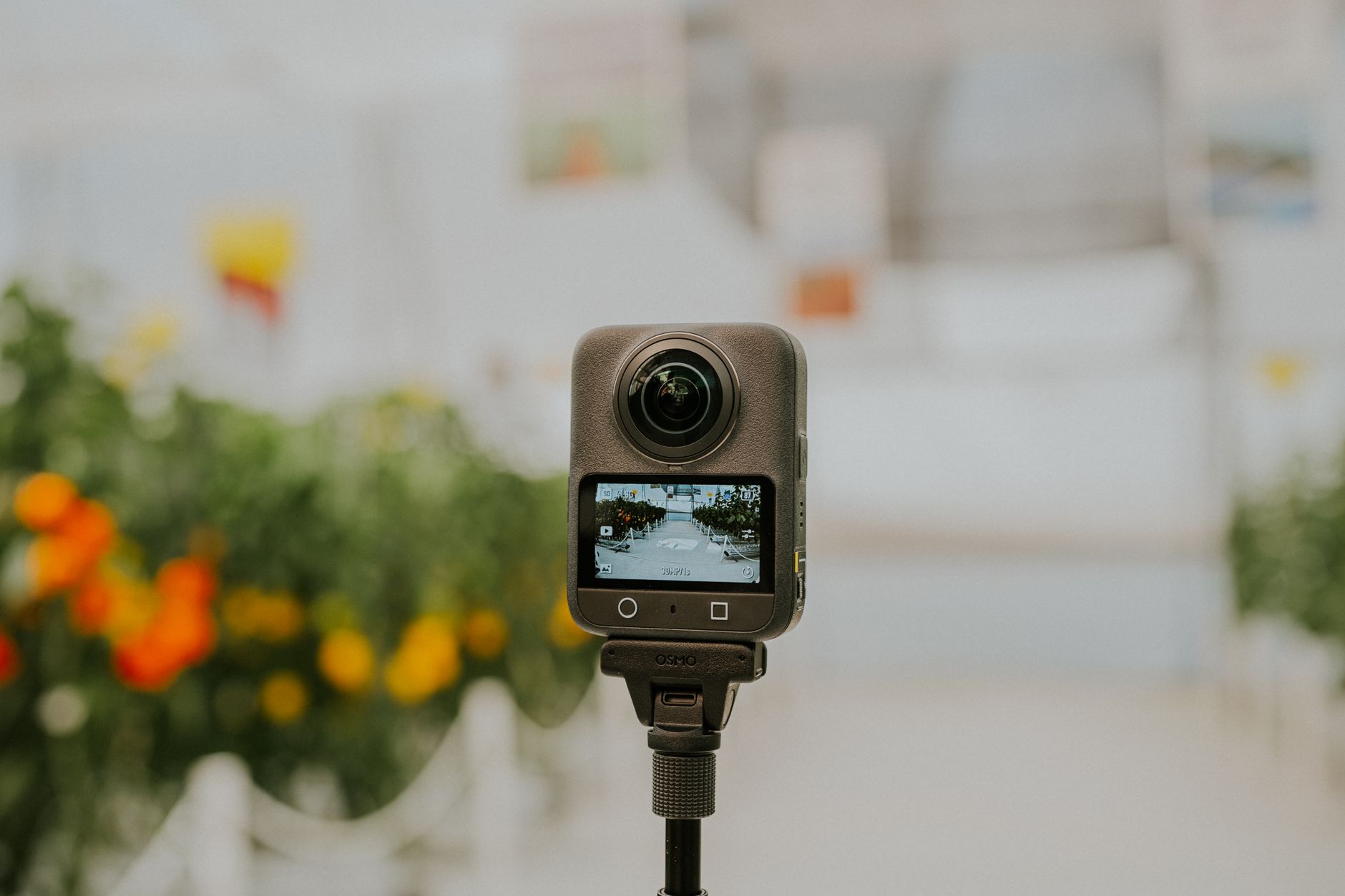
Dual-lens 360 camera: stitching seams live where the two lens images meet

Compact 360 camera held at capture height: small bodies keep the operator out of the shot

Post-production desk: stills extraction and stitch cleanup happen on the big screen
Pro workflow checklist
The full capture-to-publish routine, condensed:
- Plan positions room by room: center of each room, consistent spacing, 50%+ overlap, extra positions in hallways and complex spaces.
- Set tripod to chest height and verify level with a bubble level at every position.
- Enable HDR bracketing, 3 to 7 exposures per position.
- Avoid placing the camera within 1 to 2 meters of walls or furniture.
- Minimize large mirrors and windows in close range where the platform builds floor plans.
- Capture a handheld nadir shot per position for premium listings.
- Stitch and tone-map, correct verticals with tilt-shift tools, patch the nadir.
- Extract marketing stills from 8K+ video where needed, finish in Lightroom.
- Upload following the platform's capture pattern, and re-shoot rather than re-upload if processing fails.
If you would rather not run this pipeline yourself, this is exactly the kind of capture and delivery work we do at Augmento for real estate teams, and the resulting tours run in the browser with no app download. Talk to us about a capture package.
Quick answers
Want the capture done for you?
We shoot, stitch and deliver browser-based 360 tours with no app download.